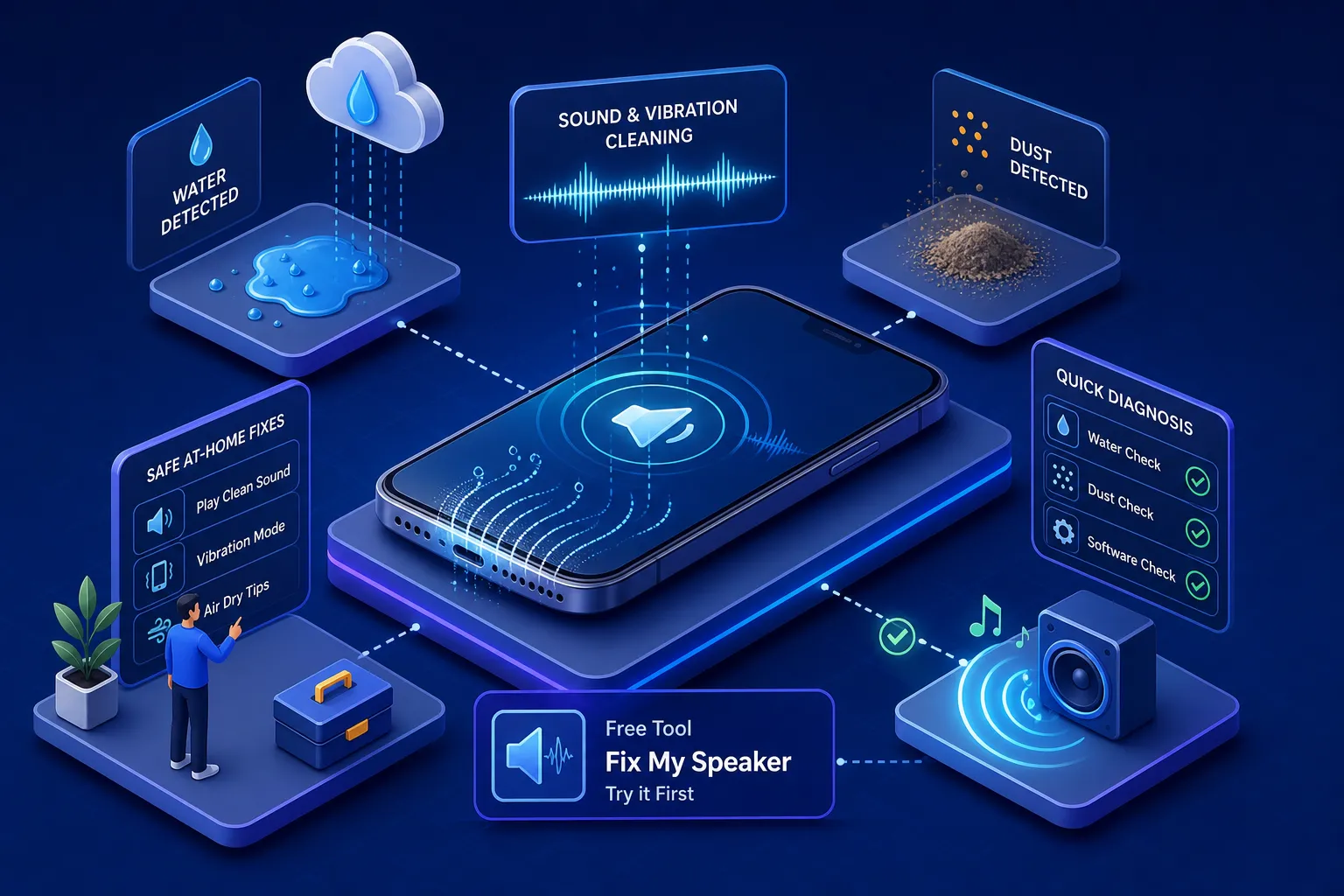
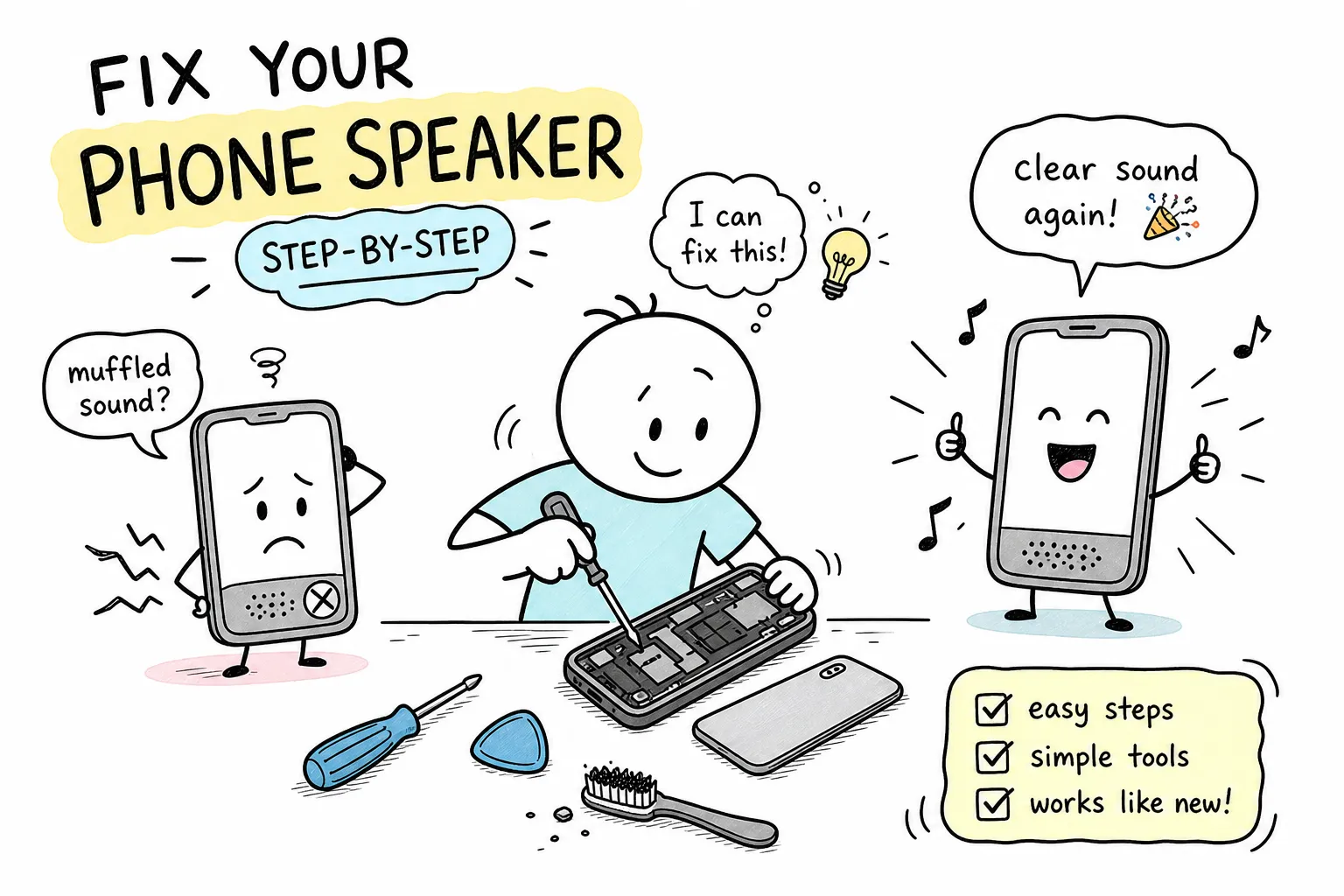
- Most phone speaker issues fall into 4 causes: water, dust, software or hardware — diagnose first, fix second.
- A 165 Hz tone ejects water via speaker-diaphragm resonance — the free Fix My Speaker by FastSaveMedia tool applies this in-browser with no download.
- Never use rice, compressed air, alcohol or sharp objects — they either fail or make damage worse.
- Samsung
*#0*#and iPhone Apple Support diagnostics tell you in 30 seconds whether the hardware itself is fine. - India 2026 speaker repair costs: iPhone ₹899–₹3,800 (up to ₹20,000 for flagships); Samsung / Xiaomi / OnePlus ₹1,200–₹5,000.
If you are wondering how to fix phone speaker problems at home, you are in the right place. A muffled, crackling, or completely silent speaker is frustrating, but before you book a repair appointment or spend money at a shop, there is a very good chance you can sort it out in under ten minutes. Most speaker problems fall into one of four categories: water or moisture, dust and debris, a software glitch, or actual hardware damage. Each needs a completely different approach, so applying the wrong fix wastes time and can make things worse.
This guide walks you through each cause in a logical order. For water and dust cases, the free browser tool Fix My Speaker by FastSaveMedia handles the heavy lifting without any downloads or sign-ups. For software issues, a series of quick checks usually resolves things in minutes. For hardware damage, the guide tells you exactly when to stop and seek professional help rather than wasting further effort.
Work through the sections in order, diagnose first, then fix, and you will not need to guess at any stage.
1. How to fix phone speaker problems: diagnose the cause first
Jumping straight into fixes without knowing the cause is the most common mistake. A few quick checks will tell you exactly what you are dealing with, and that knowledge determines everything that follows.
Is it water or moisture?
If your speaker sounded fine before getting wet and now sounds hollow or muffled, water is almost certainly the cause. Common scenarios include dropping the phone in a sink, getting caught in rain, or using the phone during a sweaty workout. Do not be misled by an IP67 or IP68 water-resistance rating; these ratings mean the phone survives submersion under controlled conditions, not that water cannot enter the speaker grille. The grille is deliberately open so sound can pass through, which means moisture can get in.
Is it dust, lint, or debris?
If the muffled audio crept up gradually over weeks rather than appearing suddenly, debris is the more likely culprit. Budget Android phones kept in trouser pockets are particularly prone to this. Hold your phone under a bright light and look directly at the speaker grille. If it looks packed with fluff or dark with grime, you have your answer.
Is it a software glitch or settings issue?
A useful tell: if the speaker works in one app but not another, or if it works on calls but not for media playback, the hardware is almost certainly fine. Another common giveaway is the phone accidentally routing audio to a connected Bluetooth device. If removing headphones and restarting the phone momentarily restored audio, you are dealing with a software issue, not a phone speaker not working due to physical damage.
Could it be hardware damage?
Hardware damage produces distorted, crackling, or buzzing sound at every volume level, not just when turned up loud. A water-muffled speaker sounds quiet and flat; a blown speaker sounds harsh and distorted even at low volume. If the phone was dropped hard recently, or if there is visible cracking near the grille, treat it as a potential hardware case from the start.
| Symptom | Likely cause | First fix |
|---|---|---|
| Suddenly muffled after getting wet | Water / moisture | 165 Hz tone (Fix My Speaker) |
| Gradually muffled over weeks | Dust / lint | Brush + painter’s tape |
| Works in one app, not another | Software / Bluetooth routing | Restart + disable Bluetooth |
| Harsh crackling at every volume | Hardware (blown driver) | Professional repair |
| Silent after a hard drop | Hardware / impact damage | Professional repair |
2. How to fix phone speaker water damage: eject moisture with a tone
Water in a phone speaker responds remarkably well to a calibrated audio tone, and this should be your first action before trying anything else. The physics are straightforward: a low-frequency tone near 165 Hz sits close to the natural resonant frequency of a smartphone speaker diaphragm. At that frequency, the diaphragm vibrates with maximum physical displacement, generating enough force to break water’s surface tension and push moisture out through the grille. This is the same principle behind the official Water Eject shortcut Apple built into Apple Watch. For a concise explanation of the underlying physics.
Browser-based tools apply the same logic, but quality varies. Some other tools simply play a generic MP3 tone at a fixed volume, which may deliver less precise frequencies than real-time synthesis. Fix My Speaker by FastSaveMedia uses the Web Audio API to synthesis tones in real time, which helps deliver consistent frequency output to your speaker. The tool is free to use, runs in a standard mobile browser, and requires no installation or account, check the tool’s page for the full feature list and compatibility details.
How to use Fix My Speaker to eject water from speaker: step by step
- Open fastsavemedia.com/tools/fix-my-speaker in your mobile browser.
- Select your device type, iPhone, Samsung, Google Pixel, AirPods, JBL speaker, or MacBook, so the tool can apply an appropriate frequency for your speaker.
- Set your phone volume to maximum. Higher amplitude creates more diaphragm movement, which is what physically ejects the water.
- Hold the phone with the speaker facing downward and tap Play. Let the tone run for at least 60 seconds; particularly stubborn cases may benefit from running it two or three times.
- Wipe away expelled water droplets with a lint-free cloth and repeat two to three times if needed.
After running the tool, allow some time for any residual moisture to evaporate before charging the phone; follow your manufacturer’s guidance on how long to wait. Do not use a hair dryer and do not place the phone in a bowl of rice. A hair dryer risks warping internal adhesives, and repair specialists consistently advise against rice because it is ineffective at drawing out moisture and can leave fine debris around the grille. If audio improves but is not fully clear, run the tool once more and give the phone 20 to 30 minutes of open-air rest before checking again.
3. Dust and a blocked speaker grille: how to clean it safely
Cleaning a speaker grille is straightforward when you use the right tools. The wrong approach, anything sharp or any liquid applied directly to the grille, can push debris deeper into the mesh or cause internal corrosion.
What to use and what to absolutely avoid
Safe tools include a soft-bristled brush (a clean, dry toothbrush or a dedicated anti-static brush), sticky cleaning putty, a loop of painter’s tape pressed against the grille, and a manual rubber air blower. Never use canned compressed air, the pressure is too high and drives debris inward rather than outward.
Repair specialists advise against applying any liquid directly to a speaker grille because it can seep past the mesh and reach internal components, so avoid rubbing alcohol despite it being widely suggested online. Toothpicks, needles, and any other sharp objects can tear the mesh permanently and should never be used.
The safe cleaning process, step by step
- Power off your phone completely before you start.
- Hold the phone under a bright torch to identify the debris type: lint, dust, or compacted grime.
- Brush the grille at a 45-degree angle using outward swiping strokes. Brush across the surface; never press the bristles inward.
- Press cleaning putty or a loop of painter’s tape gently against the grille and pull away cleanly. Repeat three to four times.
- Finish with two to three soft puffs from the manual rubber air blower to clear any loosened particles.
As a useful follow-up, run the Fix iPhone Speaker tool once after physical cleaning. The vibration dislodges fine dust particles that brushing misses, much like shaking out a cloth after beating it. It takes less than a minute and noticeably improves results in grille-blocked cases. For a practical guide on safe speaker cleaning methods, see this how to clean your cellphone speakers safely article.
| Method | Verdict | Why |
|---|---|---|
| Soft brush at 45° | ✅ Safe | Lifts debris outward without pressing it in |
| Painter’s tape / cleaning putty | ✅ Safe | Pulls lint out cleanly, no residue |
| Manual rubber air blower | ✅ Safe | Low pressure; safe on grille mesh |
| Canned compressed air | ❌ Unsafe | Drives debris deeper into the driver |
| Rubbing alcohol on grille | ❌ Unsafe | Seeps past mesh, risks internal corrosion |
| Toothpicks / needles | ❌ Unsafe | Tears the mesh permanently |
| Rice bowl (for water) | ❌ Ineffective | Does not draw water from sealed cavities |
4. Software glitches: quick checks that often fix phone speaker issues in minutes
Software problems disguise themselves convincingly as broken hardware. These checks take under five minutes and resolve a surprisingly large number of “phone speaker not working” situations without any physical intervention at all.
Settings to check immediately
First, confirm the phone is not on Do Not Disturb or silent mode. On iPhones, check the physical Ring/Silent switch on the left side, it is easy to flip accidentally and easy to miss. Next, open Bluetooth settings and check whether the phone is streaming audio to a connected device, such as a smartwatch, earphones, or a car system. Turning Bluetooth off entirely and then testing the speaker has resolved many apparent “broken speaker” cases instantly. On Android, also check that media volume is not muted separately from ringer volume: press the volume key and tap the expand arrow to reveal all audio sliders.
Running a built-in diagnostic test
On Samsung devices, open the Phone dialler and enter *#0*#, then tap Speaker. If the built-in test produces clear sound from both speakers, the hardware is fully functional and the issue is at the software or app level. On iPhone, open the Apple Support app, select your device, go to Troubleshooting, and run the Speaker diagnostic. If the diagnostic passes but a specific app still has no audio, clear that app’s cache or reinstall it. If all software checks pass and the problem persists across every app, try a soft restart; if even that fails, a factory reset is the final software option before concluding hardware is at fault.
5. Hardware damage: when home fixes will not work
A damaged speaker driver sounds noticeably different from a water-muffled or dust-blocked one. Hardware damage produces harsh crackling, buzzing, or a low fluttering distortion that persists at all volume levels, including low. The key distinction: a water-muffled speaker sounds quiet and flat; a blown speaker sounds warped and distorted even when you lower the volume. Distortion that does not improve after restarts or cleaning strongly suggests a blown voice coil or damaged diaphragm.
If the speaker fails its own built-in diagnostic, the Samsung *#0*# test or the Apple Support diagnostic returns a failure, the issue is almost certainly internal hardware. Physical impact damage, such as a hard drop or visible cracking near the grille, is another reliable indicator that the speaker cone or driver is physically compromised. There is no safe home fix for a blown driver. Attempting to solder or pry open the chassis without the right tools makes the situation worse. In the meantime, route audio through wired earphones or pair a Bluetooth speaker as a workaround while you arrange a professional repair.
6. Getting it repaired in India: costs and what to expect
If professional repair is necessary, knowing realistic pricing prevents you from being overcharged. Costs vary significantly by brand, model, and service provider.
What phone speaker repair costs across major brands
For older iPhone models, third-party repair shops typically charge between ₹899 and ₹3,800. Newer flagship devices can run up to ₹20,000. Official Apple Service Centres often classify speaker issues under “Other Damage” rather than listing a standalone speaker repair price, which can push costs substantially higher. For Samsung, Xiaomi, and OnePlus devices, local and third-party repair shops typically charge ₹1,200 to ₹5,000 depending on the model. Budget Redmi and mid-range Samsung models sit at the lower end; flagship Galaxy S and Xiaomi 14 series devices are priced at the higher end. Doorstep services like iTweak and Cashify complete repairs in 30 to 45 minutes for local areas, while official brand service centres typically take 3 to 5 business days.
How to get the most accurate quote
Always provide your exact model number when requesting a quote, for instance “iPhone 15 Pro” rather than just “iPhone”, because integrated speaker designs in newer phones cost significantly more to service. Ask specifically whether the quote covers the loud speaker (bottom, for media) or the ear speaker (top, for calls), as these are different components at different price points. Confirm the warranty offered on the replaced part. Many reputable third-party services offer around a 6-month warranty on speaker replacements, which is a reasonable baseline to look for.
| Brand tier | Third-party shop | Turnaround | Notes |
|---|---|---|---|
| iPhone (older models) | ₹899 – ₹3,800 | 30–60 min | Ear vs loud speaker priced separately |
| iPhone (flagship / Pro) | Up to ₹20,000 | 1–3 days | Apple often bills under “Other Damage” |
| Samsung mid-range | ₹1,200 – ₹2,500 | 30–45 min | Doorstep options widely available |
| Samsung flagship (S / Z) | ₹3,000 – ₹5,000 | 3–5 days | Official centre for warranty parts |
| Xiaomi / Redmi / OnePlus | ₹1,200 – ₹4,500 | 30–60 min | Ask for 6-month part warranty |
Quick Fix Order Checklist
- Diagnose: water, dust, software, or hardware — match the symptom table above.
- Water: run Fix My Speaker for 60 seconds, speaker facing down, at max volume.
- Dust: brush at 45°, lift with painter’s tape, finish with a rubber air blower — never compressed air.
- Software: disable Bluetooth, exit Do Not Disturb, run
*#0*#(Samsung) or Apple Support diagnostic (iPhone), then restart. - Hardware: distorted at every volume or failing diagnostic → stop and book a repair.
Work through it in order and many cases are free to fix
Follow the steps above to understand how to fix phone speaker issues yourself before spending anything. The logical sequence is: start with the free Fix My Speaker browser tool for water and dust cases, move to software checks next, and proceed to professional repair only when hardware damage is confirmed. Many muffled, crackly, or low-volume speaker situations are resolved before a single rupee is spent.
If the speaker got wet or sounds muffled right now, open Fix My Speaker by FastSaveMedia in your browser and run the tone before doing anything else. It takes under two minutes, it is free to use, and it addresses the two most common causes of phone speaker problems, water and debris, without requiring any technical knowledge or physical tools. If you prefer a quick visual demo of the tone technique, watch this video demonstration.
Knowing the cause is half the fix. Use the diagnosis section at the top of this guide to match your symptoms, follow the right path, and you will almost certainly resolve the problem without needing to leave the house.
Speaker sounds muffled right now? Fix it in under 2 minutes — no app, no signup, works on any Android or iPhone browser.
Try Fix My Speaker by FastSaveMedia (Free)Frequently Asked Questions
How do I fix a muffled phone speaker at home?
First diagnose the cause: water, dust, software or hardware. For water damage, play a 165 Hz tone with Fix My Speaker by FastSaveMedia for 60 seconds with the speaker facing down. For dust, clean the grille with a soft brush and painter's tape at a 45-degree angle. For software glitches, restart the phone, disable Bluetooth and check Do Not Disturb. Most cases are resolved in under 10 minutes without any repair cost.
What frequency ejects water from a phone speaker?
A low-frequency tone near 165 Hz sits close to the natural resonant frequency of a smartphone speaker diaphragm. At that frequency the diaphragm vibrates with maximum displacement, breaking water's surface tension and pushing moisture out of the grille. This is the same principle behind Apple Watch's built-in Water Eject shortcut.
Does the rice trick actually work for a wet phone speaker?
No. Repair specialists consistently advise against the rice method because it is ineffective at drawing moisture out of a sealed speaker cavity and can leave fine debris around the grille. Use a calibrated audio tone tool such as Fix My Speaker by FastSaveMedia instead — it is free, browser-based and works in under two minutes.
How do I run a built-in speaker test on Samsung and iPhone?
On Samsung, open the Phone dialler and enter *#0*# then tap Speaker to run the hardware diagnostic. On iPhone, open the Apple Support app, select your device, go to Troubleshooting and run the Speaker diagnostic. If either test passes, the hardware is fine and the issue is software or app-specific.
How much does phone speaker repair cost in India in 2026?
For older iPhones, third-party repair shops typically charge ₹899 to ₹3,800; newer flagship iPhones can run up to ₹20,000. For Samsung, Xiaomi and OnePlus devices, expect ₹1,200 to ₹5,000 depending on the model. Doorstep services like iTweak and Cashify complete repairs in 30–45 minutes; official brand service centres typically take 3–5 business days.
How can I tell if my phone speaker is blown or just dirty?
A water-muffled or dust-blocked speaker sounds quiet and flat but clear. A blown speaker sounds harsh, crackling or buzzing at every volume level — including low volume. Distortion that persists after cleaning and restarts, or that follows a hard drop, strongly indicates a damaged voice coil or diaphragm and requires professional repair.
Is it safe to use compressed air or alcohol to clean a phone speaker grille?
No. Canned compressed air pushes debris deeper into the mesh instead of clearing it, and applying rubbing alcohol or any liquid directly to the grille can seep past the mesh and corrode internal components. Use a soft-bristled brush, sticky cleaning putty or painter's tape and a manual rubber air blower instead.