Free · runs in your browser · no app
Fix My Speaker: Eject Water & Dust
Play a 165 Hz water eject tone to clear trapped water and remove dust from your device in 30 seconds.
Speaker cleaner
Ready — press Play to start
Volume to max · speaker facing down · headphones unplugged
Tones are generated on your device with the Web Audio API. Nothing is recorded or uploaded. Stop if you hear rattling or distortion and lower the volume.
How to fix your phone speaker in 3 steps
Turn the volume up
Unplug headphones and disconnect Bluetooth so the tone plays through the speaker you want to clear.
Point the speaker down
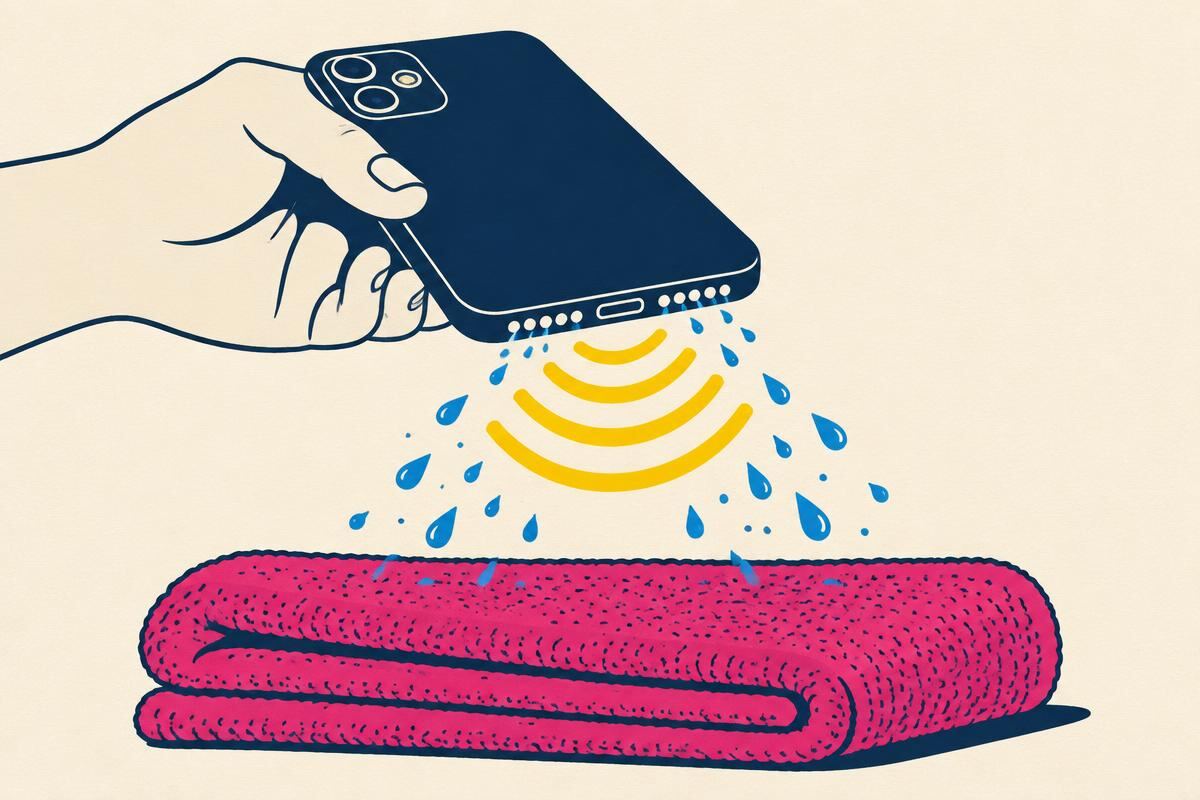
Gravity helps. Hold the phone face-down or speaker-down over a towel.
Press Play and repeat if needed
Auto mode plays 165 Hz and 145 Hz water tones and a sweep. Run 2–3 cycles if sound is still muffled.
Fix my speaker by device
- iPhoneSymptom: bottom speaker muffled after a splash or submersion
- Phone earpieceSymptom: callers sound quiet or muffled on calls
- Samsung GalaxySymptom: crackly or dusty speaker on S, A and Z series
- Pixel & OnePlusSymptom: weak or rattling Android speaker
- AirPods & earbudsSymptom: dull sound after rain or sweat
- JBL, Bose & SonosSymptom: portable speaker buzzes after getting wet
- MacBook & laptopsSymptom: tinny sound after a keyboard-side spill
- No sound at allSymptom: silent speaker — run the diagnostic checklist first
Water damage guides
Water trapped in the speaker, ports or the whole phone.
- How to Get Water Out of Your iPhone SpeakerGet water out of your iPhone speaker in minutes: what to do first, how to play the 165 Hz eject tone, AirPods tips, and what never to do.
- Water in Phone Speaker: How to Get It OutWater in your phone speaker makes sound muffled. Clear it with a free eject tone, gravity and air-drying — steps for iPhone and Android.
- Water Eject Sound — The Frequency That Pushes Water OutPlay the water eject sound online. Why 165 Hz works, which frequency suits phones, earbuds and laptops, and how long and loud to play it.
- Water-Damaged Phone Recovery: What to Do, Hour by HourDropped your phone in water? Do these steps in order: power off, dry the ports, clear the speaker, and know when it needs a repair shop.
Speaker cleaning guides
Dust, lint and grime by device and by tool.
- How to Clean Phone Speakers Without Damaging ThemClean a phone speaker without damage: soft brush, putty and a 200 Hz dust tone. What works on iPhone and Android, and what to avoid.
- Speaker Grille Cleaning Tools: Safe Picks and Ones to AvoidWhich tools safely clean a speaker grille — brushes, putty, tape, vacuums — and why canned air, pins and liquids cause damage.
- How to Clean Your iPhone Speaker and EarpieceClean your iPhone speaker and earpiece safely. Model-by-model grille tips, Apple's guidance, and a free tone to shake loose debris.
- Samsung Galaxy Speaker Cleaning GuideClean a Samsung Galaxy speaker and earpiece safely. Grille positions by series, Samsung's advice, and a free online speaker cleaner tone.
- How to Clean a Phone Earpiece SpeakerCallers sound quiet or muffled? Clean the earpiece speaker safely on iPhone and Android, and check settings that mimic a clogged grille.
- Laptop and Tablet Speaker CleaningClean laptop and tablet speakers safely — MacBook, Windows laptops, iPad and Surface — plus what to do after a drink spill.
- How to Clean a Bluetooth or Portable SpeakerClean a Bluetooth speaker's fabric or metal grille, remove sand and salt, and dry it safely. Guidance for JBL, Bose, Sonos and Anker.
- Speaker Cleaner by BrandPick the right speaker cleaning method for your brand — Apple, Samsung, Pixel, OnePlus, JBL, Bose, Sonos and MacBook — in one place.
Repair & diagnostics guides
No sound, muffled, crackling or silent calls.
- Phone Speaker Not Working? Fix It Step by StepNo sound from your phone speaker? Work through these checks in order — settings, Bluetooth, debris, water, then hardware — on iPhone and Android.
- Why Is My Phone Speaker Muffled or Quiet?Find out why your phone speaker sounds muffled or too quiet — lint, water, a case, sound settings or a worn driver — and fix each one.
- Why Is My Phone Speaker Crackling?Crackling, static or popping from your phone speaker? Tell debris and water apart from a blown speaker, and fix what can be fixed at home.
- Why Can't I Hear Callers on My Phone?Calls silent but music works? Check the earpiece, audio routing, Bluetooth and network settings to get call audio back on iPhone or Android.
- Phone Speaker Repair: Try These Free Fixes FirstTry free speaker fixes before paying for repair. When a phone speaker needs replacing, what's involved, and how to choose a repair option.
Audio tools guides
Cleaning sounds, audio tests and tone generation.
- Speaker Cleaner Sound — Play It Online, No App NeededPlay a speaker cleaner sound in your browser — no app needed. Water and dust tones, how they work, and how browser tools compare to apps.
- Audio Test — Left, Right and Stereo Speaker TestFree online audio test: check left and right channels, stereo balance, phase and frequency range on speakers, headphones and earbuds.
- Online Tone GeneratorGenerate a sine, square, triangle or sawtooth tone at any frequency from 1 to 20,000 Hz. Free online tone generator with presets.
Which frequency does what: acoustic matrix
| Frequency | Target driver | Physical mechanism | Best for | In the tool |
|---|---|---|---|---|
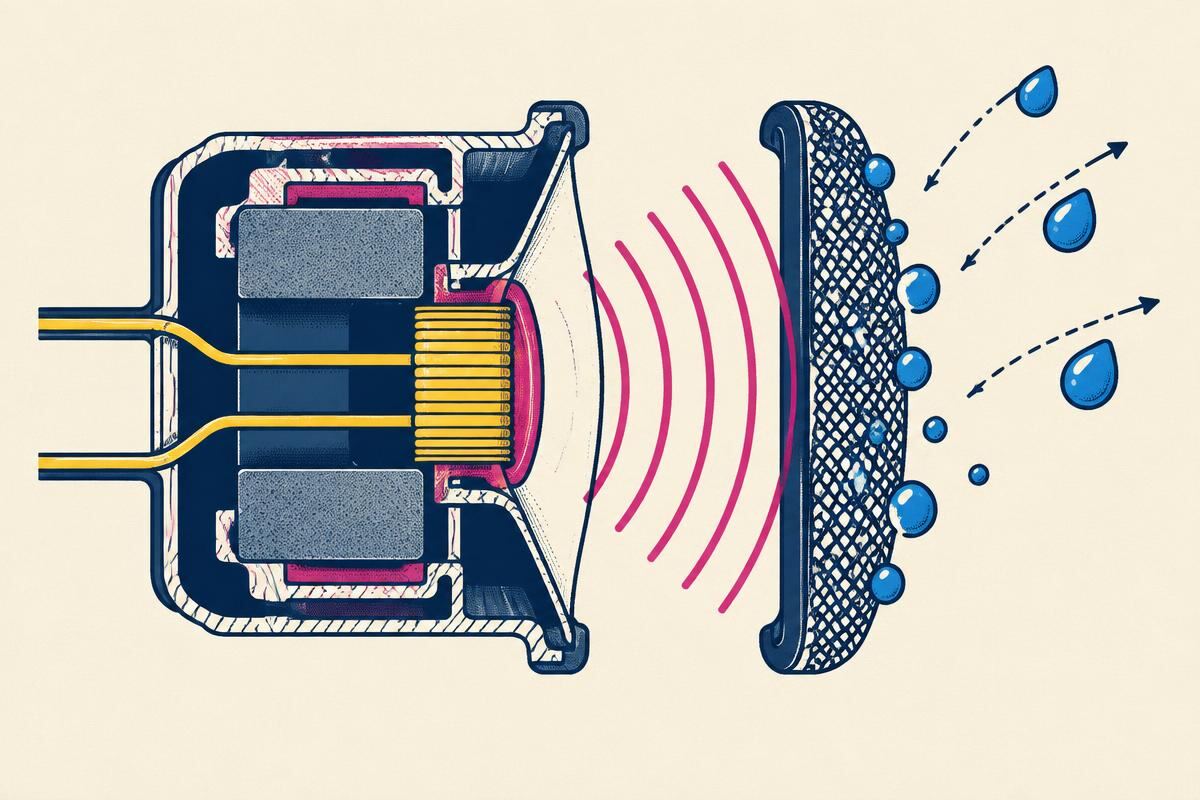
| 165 Hz | Phone bottom loudspeakers (iPhone, Android) | Long diaphragm strokes break the surface tension holding droplets on the mesh | Water after a splash | ~30 s per cycle |
| 145 Hz | Larger drivers (tablets, laptops, portable speakers) | Lower pitch moves more air through bigger grilles | Water in larger speakers | Part of Auto water cycle |
| 200 Hz | Small speakers and earpiece grilles | Faster vibration shakes loose dry dust and lint | Dust and pocket lint | Dust mode |
| 100–200 Hz sweep | Any speaker | Gliding pitch passes through each driver's own resonance point | Mixed or unknown cause | Ends each Auto cycle |
Safety limit: these tones stay inside the range speakers already play with music. If you hear buzzing, rattling or harsh distortion, lower the volume — and never use a tone on a phone that is still wet inside or will not power on.
Sound tone vs. common DIY fixes
| Method | Water | Dust / lint | Risk | Time |
|---|---|---|---|---|
| Sound tone (this tool) | Shakes droplets off the mesh | Loose dust only | Low at normal volume | 30–90 seconds |
| Rice or silica bag | Only slow surface drying | No | Rice dust can enter ports | Days |
| Hair dryer (hot air) | Can push water deeper | No | Heat can soften adhesives | Minutes |
| Compressed air | Forces water inward | Sometimes | Can tear the mesh | Seconds |
| Pin or cotton swab | Partly | Partly | High — punctures mesh | Minutes |
A tone only reaches water and dust sitting on the outer mesh. Water inside the phone needs proper drying — see water-damaged phone recovery.
Frequently asked questions
How does a sound wave get water out of a speaker?
A low tone around 165 Hz makes the speaker's diaphragm move a long way back and forth. That movement breaks the surface tension holding droplets on the protective mesh and pushes them outward. Apple Watch's Water Lock eject uses the same idea.
Is it safe for my phone or earbuds?
The tone uses your device's normal audio output — the same range the speaker handles playing music. If you hear rattling or harsh distortion, lower the volume. A tone cannot fix corrosion or a torn speaker.
Which frequency should I use — 165, 145 or 200 Hz?
165 Hz suits most phone speakers. 145 Hz suits larger drivers such as portable Bluetooth speakers. 200 Hz is meant for loosening dust and lint rather than water. Auto mode picks a sequence for you.
How long should I play the water eject sound?
One cycle (about 30 seconds) usually helps after a splash. After full submersion, power the phone off and dry it first, then run two or three cycles with short pauses.
Does it work on Android, iPhone, Windows and Mac?
Yes. It runs in any modern browser using the Web Audio API. Vibration patterns only work in Android browsers; on iPhone the low rumble tone is used instead.
Is anything recorded or uploaded?
No. The tones are generated on your device. The tool never uses your microphone and sends nothing to a server.