
| Preset | Page render DPI | JPEG quality | Best for |
|---|---|---|---|
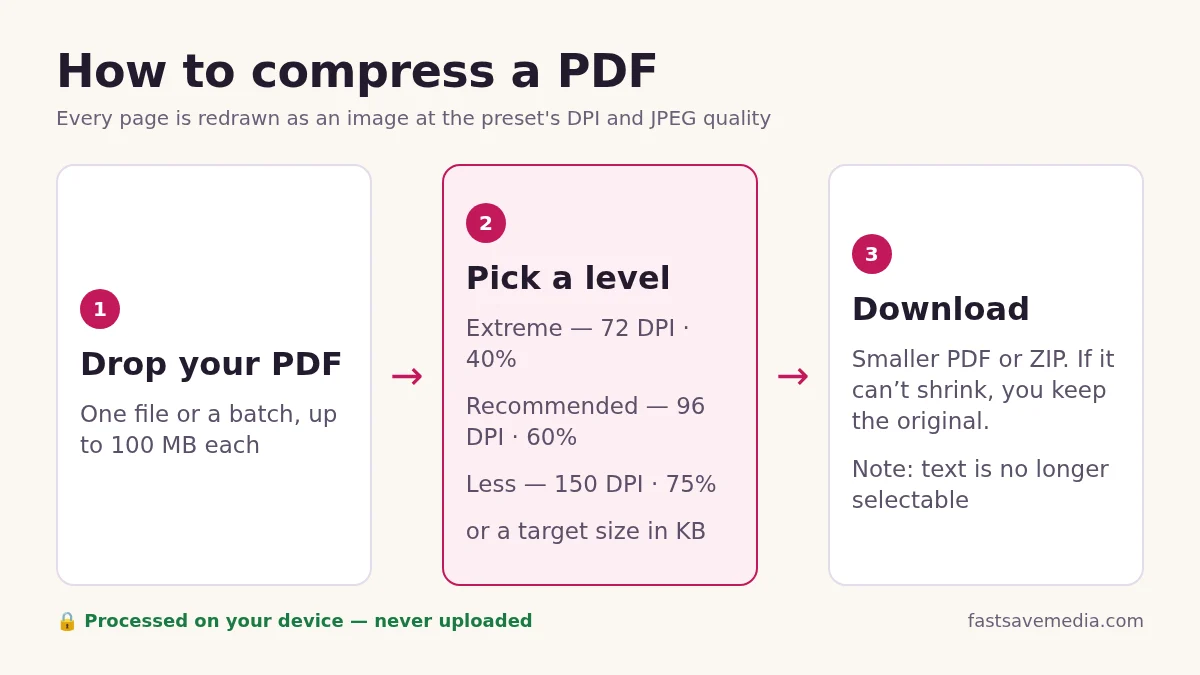
| Extreme | 72 DPI | 40% | Strict upload caps (100–500 KB portals), email |
| Recommended | 96 DPI | 60% | Most documents read on screen |
| Less | 150 DPI | 75% | Pages you may print or zoom into |
| Under 100 KB to Under 2 MB buttons | Your level, then 96, 72, 72, 60, 50 DPI | Your level, then 60%, 50%, 40%, 35%, 30% | Portal limits; stops at the first pass that fits |
| Advanced: 300 DPI | 300 DPI | Your choice | Print quality; least size saving |
| Advanced: Grayscale | Your choice | Your choice | Black-ink scans, letters and IDs |
| Advanced: Black and white | Your choice | Your choice | Clean typed text only; can lose faint marks |
How to compress a PDF in 3 steps
- Add your PDFs. Drop one or more files on the box or press Select PDF files. Each file can be up to 100 MB.
- Pick a level or a size limit. Choose Extreme, Recommended or Less, or press a size button such as Under 200 KB if a website gives you a maximum.
- Compress and download. Press Compress PDF, then Save each file or download them all as a ZIP. Your original files are not changed.
Which setting fits your problem
| Your situation | What to choose | Why |
|---|---|---|
| A form or portal says "maximum 200 KB" | Under 200 KB button | The tool steps down through up to six setting combinations and stops at the first one that fits |
| An email bounces because the attachment is too big | Recommended, or Under 2 MB | Most mail services cap attachments at roughly 20 to 25 MB in total |
| A black-and-white scan of a letter or ID | Grayscale in Advanced options plus Recommended | Colour data the page never needed is dropped |
| A brochure you may print | Less, or 150 to 300 DPI in Advanced options | Higher resolution keeps fine detail on paper |
| A text document where people must copy or search the text | Do not use this tool | Every page becomes an image; see the limitation note above |
Meeting a size limit for an upload portal
Job, exam, visa, bank and government portals often accept only files under a fixed size such as 100 KB, 200 KB or 500 KB. Press the matching Under button before you compress. The tool first tries your chosen level, then lower resolutions and JPEG qualities down to 50 DPI at 30%, and keeps the first result that fits.
If even the strongest pass is too large, the file row says "could not reach" and you get the smallest version it made. For long documents, that usually means the page count is the problem: split the PDF into the pages the portal actually asks for with Split PDF, then compress the shorter file. Switching to grayscale also helps a lot for documents that were black ink to begin with.
Why PDFs get so big
Most oversized PDFs are scans or photos. A page scanned at 300 DPI on A4 paper is about 2,480 by 3,508 pixels, close to 8.7 million pixels for one page. Text and vector drawings, by comparison, take very little space. That is why scanned files often shrink by well over half while PDFs exported from Word may barely change.
How this compressor works, and what it changes
Each page is drawn in your browser at the resolution you pick (72, 96, 150 or 300 DPI), saved as a JPEG at the chosen quality, and placed into a new PDF of the same page size. Nothing is uploaded; the work happens on your own device.
- Text stops being selectable. Because pages become pictures, you cannot copy, search or have the file read aloud by a screen reader afterwards.
- Links and form fields are removed. Fill in forms and note any links before compressing.
- A digital signature will no longer validate. Compress first, then sign, if a signature is needed.
- Metadata is cleared by default. Title, author and app details are removed unless you untick that option.
- You never get a bigger file. If the result is not smaller, the tool keeps your original and says so.
Grayscale and black and white
Grayscale removes colour from every page, which helps when the original was printed in black ink. Black and white goes further and turns every pixel pure black or pure white. It suits clean typed text but can make photos, stamps and faint handwriting hard to read, so check the result before you send it.
Is it safe for bank, medical or tax documents?
The file is read and compressed in your browser tab. It is not sent to a server, so there is no copy for anyone else to keep. Closing the tab clears it from memory. As with any tool, keep your original file, because compression cannot be undone.
Prefer built-in Mac or Windows tools?
If you would rather compress offline with Preview on a Mac or Word on Windows, follow our step-by-step guide: how to compress a PDF without losing quality. It also covers scanned and password-protected files.