What is a social media safe zone?
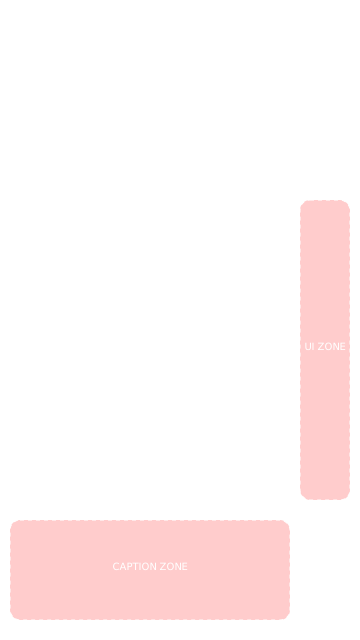
A safe zone is the area of your vertical video (9:16 aspect ratio) that remains visible and isn't covered by the platform's interface elements — like the Like button, comments, share icon, profile picture, captions, and navigation tabs. Content placed outside this zone may be partially or fully hidden from your audience.
Is the TikTok safe area template updated for 2026?
Yes! Our overlays are regularly updated to match the latest UI layouts of TikTok, Instagram Reels, and YouTube Shorts. We track platform updates and adjust the overlay positions to ensure accuracy.
Does this tool upload my video to a server?
Absolutely not. All processing happens 100% locally in your browser using JavaScript. Your video or image never leaves your device — there is no server, no upload, no cloud processing. You can verify this by disconnecting from the internet and using the tool offline.
Can I use images instead of videos?
Yes! You can upload both images (JPEG, PNG, WebP) and videos (MP4, MOV, WebM). This is perfect for checking thumbnail safe zones, cover images, or static content like carousel posts that might also appear in Reels or Shorts format.
What dimensions should my vertical video be?
The standard vertical video format is 9:16 aspect ratio, typically 1080×1920 pixels. All three major platforms (TikTok, Instagram Reels, YouTube Shorts) use this format. Our tool automatically scales any uploaded media to fit and previews it correctly.
How does the text placement tester work?
Enable the "Text Placement Tester" toggle, type your call-to-action or caption text, then drag it around the preview. The zone indicator at the bottom will show whether your text is in a safe zone (green), warning zone (yellow), or danger zone (red) based on the selected platform's UI layout.
Does the exported screenshot include the overlay?
Yes! The "Download Reference Frame" button exports a 1080×1920 high-resolution PNG that includes your video/image frame, the selected platform overlay (at your chosen opacity), and any text you've placed. Share it with your video editor as a visual guide.
Why do safe zones differ between platforms?
Each platform has a unique interface layout. TikTok has a large right sidebar with multiple buttons and a prominent music ticker at the bottom. Instagram Reels has expandable captions and shop tags. YouTube Shorts has the cleanest interface but still covers the bottom area with channel info. That's why checking each platform separately is important.