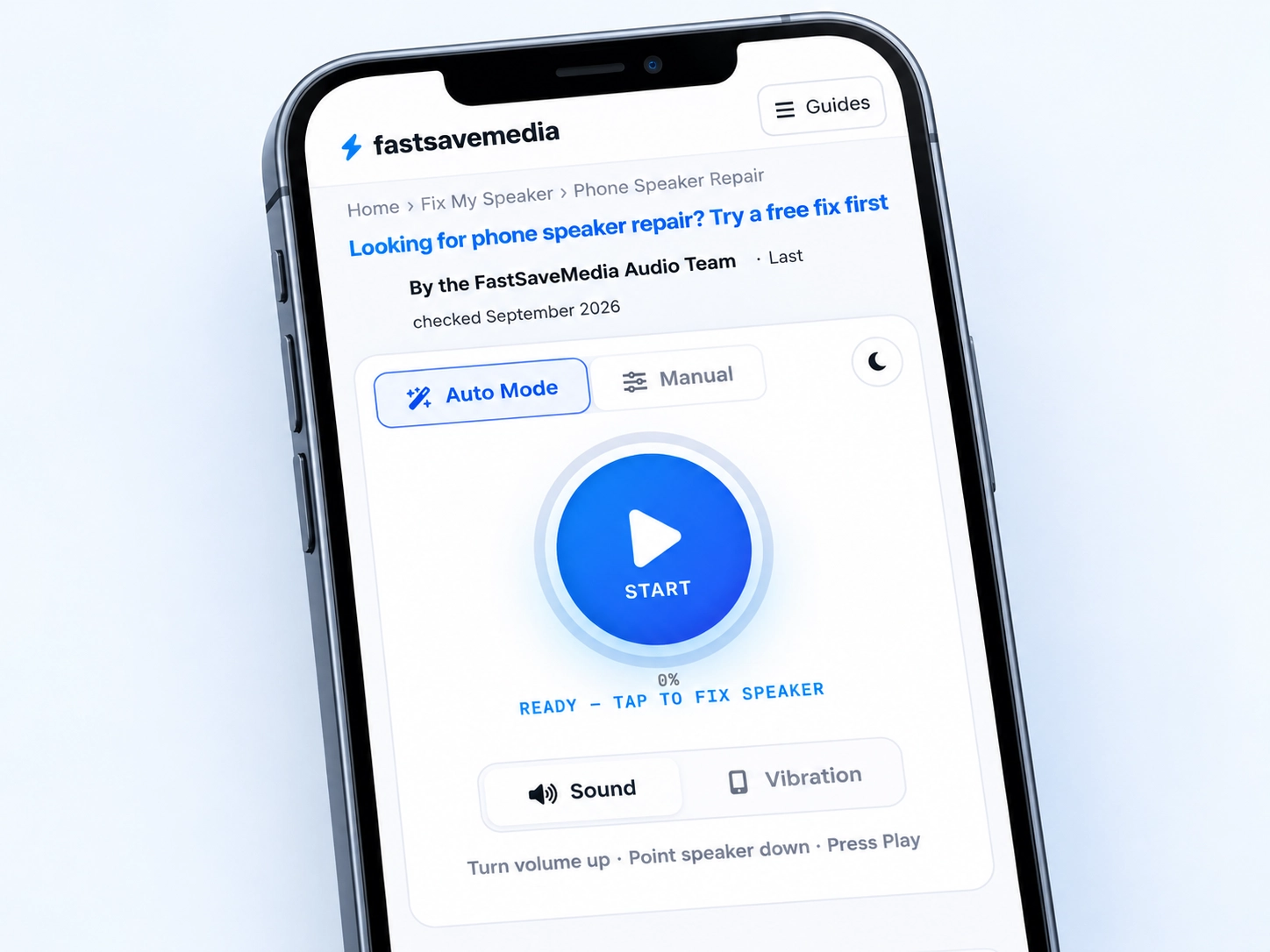
Looking for phone speaker repair? Try a free fix first
Q: Do I need to pay to fix my phone speaker? Not necessarily — try the free browser-based speaker check first to rule out dust, moisture, or audio routing issues.
Pick which recordings to play, in what order, and how long each one runs. Applies to whichever type (Sound or Vibration) is currently selected.
Sound Recordings
Vibration Recordings
Saved Presets
Save your favourite settings and load them with one tap. Stored privately in your browser (localStorage).
No saved presets yet — tune the controls above, then tap Save Current.
Loudspeaker vs. Ear Speaker: Parts, Symptoms & Typical Repair Cost
| Loudspeaker (bottom) | Ear speaker (top) | |
|---|---|---|
| Handles | Music, ringtones, alarms, speakerphone | Calls held to your ear |
| Symptom if faulty | Media and speakerphone are quiet or silent; calls may still sound fine | Calls are quiet or silent; media still sounds fine |
| Typical India starting price¹ | ₹1,500–₹8,000 | ₹2,000–₹4,500 (iPhone); often less on budget/mid-range Android |
| Where to start | Phone speaker not working | Why callers are hard to hear |
¹ Published starting points from independent Indian repair shops, not fixed quotes — confirm with your own service provider. See the full cost breakdown below.
Quick Answer
Q: Should I pay to repair my phone speaker straight away?
A: Usually not yet. Quiet or muffled speakers can be caused by dust, liquid, a routing issue, or hardware damage, and blockage or routing are the more common of the two. Try the free browser tool and a quick settings check first — a paid repair is worth booking only if the speaker is still silent, distorted, or damaged after both.
How to Use the Tool Before You Book a Phone Speaker Repair
1Prepare the device
Case off, headphones out, Bluetooth disconnected. A connected earbud is a common reason a phone sounds "dead" when nothing is wrong with it.
2Set a safe volume
Around 80 to 100 percent is enough. Keep the speaker away from your ear while the tone plays.
3Select a mode
Auto plays a standard sequence. Manual opens the playback editor if you want to pick tones and durations yourself.
4Play the sound
Hold the phone speaker-side down over a cloth so loosened debris falls out instead of settling back in.
5Check the speaker
Play music or a voice note and compare. Louder and clearer means blockage. No change at all points elsewhere.
6Stop when finished
Stop once you have an answer. Repeating the tone for long periods adds nothing and strains a small driver.
Is It Safe to Try Before You Pay for a Phone Speaker Repair?
Q: Will running this before a repair make things worse?
A: No. Output is capped at your phone's normal volume, so it cannot push the speaker any harder than everyday use already does.
Q: Do I need any technical knowledge to run it?
A: No. Press play in Auto mode and listen. The manual editor is optional and stays out of the way until you open it.
Q: What do I lose if it does not work?
A: Nothing. It takes under a minute, and either way you now have a specific symptom to describe if you do book a repair.
What Phone Speaker Repair Tool Does, and What It Does Not
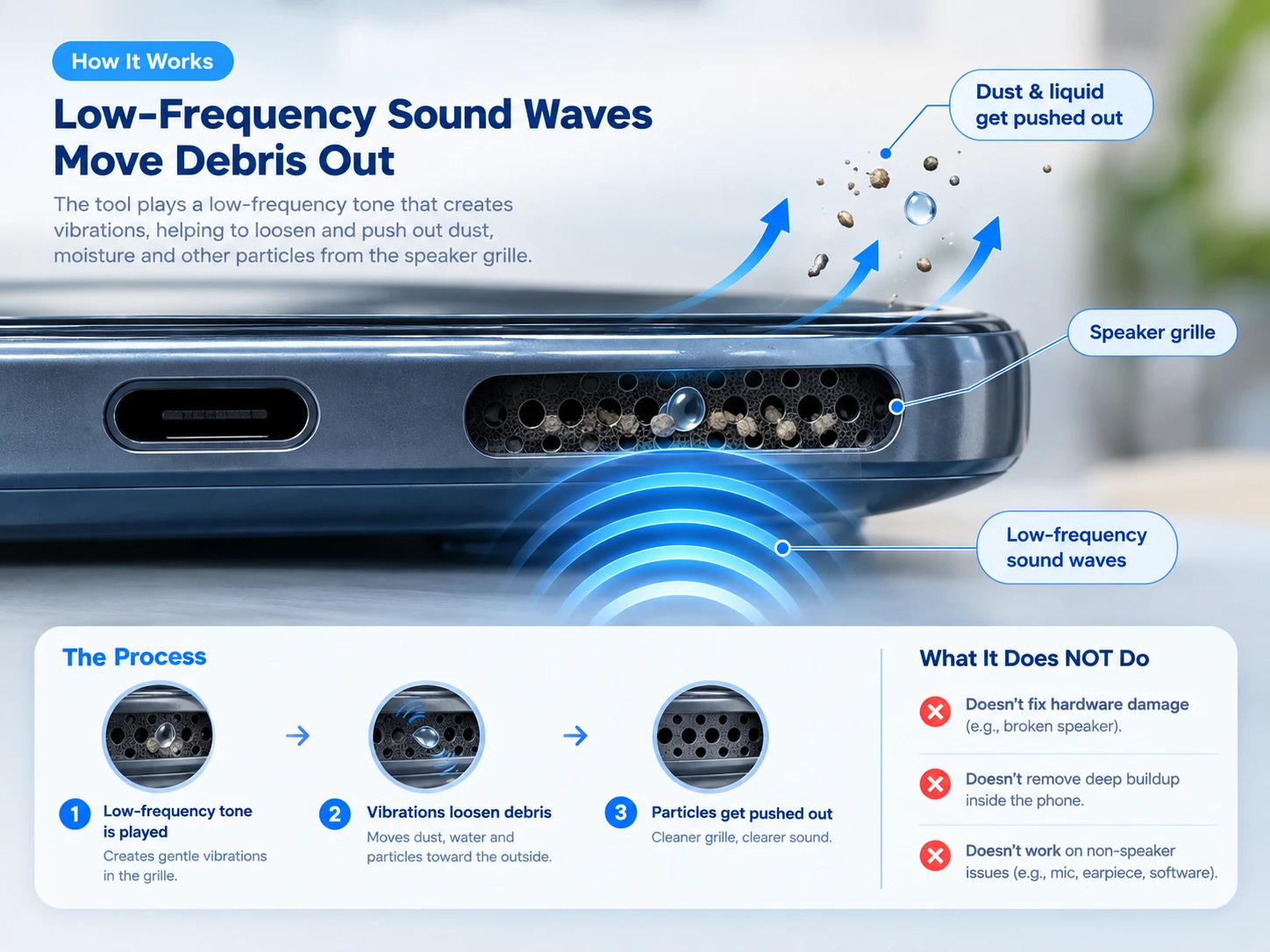
The tool synthesises a low-frequency tone in your browser and plays it through the speaker. The diaphragm moves further at low frequencies than it does at speech or music frequencies, and that movement can shift loose material or a droplet sitting in the grille cavity.
It may help with: loose dust, lint from a pocket, and surface water sitting in or just behind the grille.
It cannot guarantee: that all water or debris will come out, that a compacted lint mat will break up, or that liquid which has already reached the internals will be cleared. Sound does not repair hardware, and no frequency works in every case.
Is Your Phone Speaker Blocked or Actually Damaged?
Match what you are seeing to the row below for the most likely cause and the right first step.
| Symptom | More likely cause | First step |
|---|---|---|
| Sound is present but muffled | Blockage or moisture | Try the tool above, then physical cleaning |
| Sound improves after the tool or cleaning | Blockage | No repair needed |
| Silent in every app, not just one | Hardware or routing | Run the no-sound diagnosis |
| Crackles or distorts at every volume | Possible hardware | Get a repair assessment |
| Fault began right after a drop | Hardware possible | Get a repair assessment |
| Fault began after water exposure | Moisture or damage | Water damage recovery guide |
| Only one app is affected | Software or app setting | Check that app’s own audio/output setting |
Loudspeaker or Ear Speaker? They Are Priced and Fixed Differently
The loudspeaker at the bottom of the phone handles music, ringtones, alarms and speakerphone. The ear speaker, or earpiece, sits at the top near the screen and handles calls held to your ear. They fail independently, and repair shops quote them as two separate jobs.
Music is fine, calls are quiet
That points at the ear speaker, not the loudspeaker. Start with why callers are hard to hear.
Calls are fine, music is dead
That points at the bottom loudspeaker or its routing. Work through phone speaker not working first.
Both are affected
Two drivers failing at once is unusual. Suspect software, a stuck audio route, or liquid that reached the board.
One detail worth knowing before you hand the phone over: on iPhone, the ear-speaker assembly shares a flex cable with Face ID and the proximity sensor, so a rushed or low-quality earpiece repair can affect those too. Ask the shop directly how they protect that cable.
Which Guide Do You Need for Your Speaker Problem?
Match your symptom below to the right full walkthrough. Run the tool on this page first either way — it costs nothing and rules out the simplest cause before you follow a longer guide.
No sound at all
Silent in every app, not just one. See phone speaker not working.
Muffled or dull sound
Volume is fine but everything sounds behind a cloth. See why is my phone speaker muffled.
Crackling or buzzing
Crackle at high volume usually points at the driver; crackle at any volume often points at a rattling case. See why is my phone speaker crackling.
After liquid exposure
Rain, a splash, or a drop in the sink. Act early and keep the speaker facing down — see the water damage recovery guide or getting water out of an iPhone.
Suspected dust or a dirty grille
An older phone that lives in a pocket or bag. Pair the tone with safe physical cleaning.
Just checking it still works
You want to know whether the driver produces sound at all before paying anyone. Use the audio test suite for channel checks.
Repair or Replace Phone Speaker: How to Decide
When a free fix is likely enough
- Sound is present, just weak or dull
- The fault appeared after a dusty pocket or a splash
- It only happens in some apps, not every app
Blockage and routing account for a large share of “broken speaker” reports, and both cost nothing to rule out.
When a paid repair is the right call
- Silent in every app, volume up, no headphones connected
- Distorted at any volume, and cleaning does not change it
- Failed immediately after a drop or a full submersion
Start with the no-sound diagnosis so you can describe the fault accurately at the counter.
Phone Speaker Repair Cost: How to Think About It
- Get one quote from the manufacturer's own service channel and one from a reputable independent shop.
- Compare both against the phone's current resale value — if either quote approaches a meaningful fraction of that value, replacement usually wins.
- Check warranty status first: manufacturer warranty rarely covers liquid damage, but a separate accidental-damage plan sometimes does.
- OEM versus compatible parts, your city, and your exact model all move the final number away from any published starting price.
See the cost table above for typical India starting prices by part.
Doorstep, drop-off, or manufacturer service center?
The choice in many Indian cities is no longer just “which shop”. Doorstep options include the OnePlus Care app (Bengaluru, Mumbai, Delhi, Hyderabad, Chennai, Pune), Flipkart Home Services, and independent doorstep-only businesses — but convenience should not replace diligence. Ask a doorstep technician exactly what you would ask at a counter:
- Is the part OEM or compatible?
- How long is the warranty on this specific repair?
- Is the phone's water resistance preserved after the housing is opened?
A speaker swap almost always breaks the original adhesive seal unless it is re-sealed properly.
Warranty on the repair itself
Some Indian repair businesses offer a repair-specific warranty of around six months, though the period varies by shop and by part. Treat a shop offering meaningfully less as a signal to ask more questions, and get the warranty terms in writing — on the invoice, naming the part — before you pay.
Before You Hand Over the Phone for repair or service: A Short Checklist
Five minutes of preparation changes what you are quoted and what you can claim later if the repair goes wrong.
Know which speaker failed
Say "bottom loudspeaker" or "earpiece", not just "speaker". It is a different part and a different price.
Check the liquid indicator
Most phones carry a small liquid contact indicator that turns from white or silver to red once wet. Manufacturers read it before approving a warranty claim, so check it yourself first — it explains a refusal before you are surprised by one.
Ask OEM or compatible
Compatible parts are cheaper and often fine, but the difference should be stated on the invoice, not discovered later.
Get the warranty in writing
Repair warranty length, what it covers, and whether it survives a later software update.
Ask about water resistance
Opening the housing breaks the factory seal. Ask whether it is re-sealed and whether any IP rating is claimed afterwards.
Back up first
Any board-level work risks data. Back up before the phone leaves your hands, not after.
FastSaveMedia Phone Speaker repair - Tool Features
Auto mode. One press runs a prepared sequence of tones, so you do not have to choose a frequency.
Collapsible manual editor. Choose specific recordings, order, duration and loops. It stays collapsed until you open it, so the settings never push the play button off the screen.
Sound or vibration. Vibration uses the device haptics where the browser exposes them, and falls back to low-frequency rumble tones where it does not.
Volume control and safety cap. Output cannot exceed the device's normal audio level.
Saved presets. Stored in your own browser only.
Live progress and status. A percentage counter and a plain-language status line, such as “Ready — tap to fix speaker,” show exactly what stage the tool is in, so you are never guessing whether it is working.
Light or dark display. Switch the tool's own display between light and dark independently of your phone's system theme.
Labelled controls. Buttons carry screen-reader labels, so the tool is usable with assistive technology, not just by sight.
Why Try the Free Phone speaker repair Tool Before Booking a Service
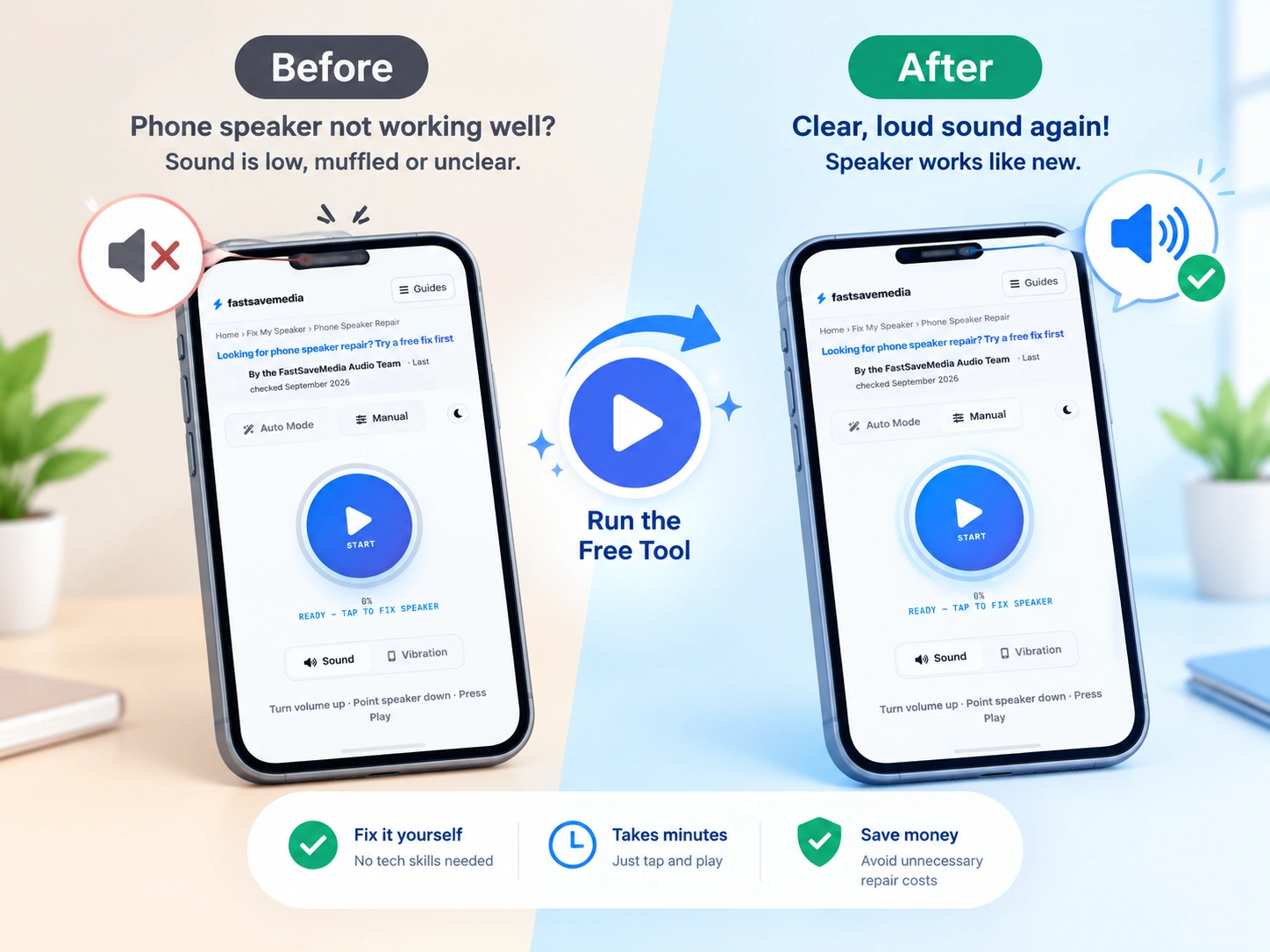
- Costs nothing and takes under a minute, so it is worth ruling out before you spend on a repair.
- Needs no install and no account — it runs the moment you press play.
- Tells you immediately whether the driver still produces sound at all.
- Gives you a specific symptom to describe if you do end up booking a repair.
- Rules out the cheapest, most common causes before you pay for anything.
Speaker Troubleshooting by Device
iPhone
Check the lower grille for lint, rule out Bluetooth routing, and use the right steps after a splash. Open iPhone speaker cleaning or iPhone water removal.
Samsung and Android
Test media and call audio separately, then clean the grille without pushing debris inward. Follow the Samsung and Android cleaning guide.
Earpiece and Call Audio
If music works but calls sound quiet, focus on the top earpiece and audio routing. See why callers are hard to hear and safe earpiece cleaning.
Bluetooth Speakers
Confirm the paired source, battery level, and whether distortion affects one input or every input before cleaning. Use the Bluetooth speaker guide.
Laptops
Compare left and right channels, check the output device, and inspect the grille before assuming the internal driver failed. Read the laptop speaker guide.
Other Brands
Find device-specific advice for common phone, earbud, and portable-speaker designs in the speaker cleaner by brand guide.
Sources: Liquid Contact Indicators & Repair Warranty Policy
- Apple Support — Water and other liquid damage to iPhone or iPod isn’t covered by warranty, for how the liquid contact indicator works and why it affects warranty claims.
- For Android and other brands, check your manufacturer’s own official support site for its liquid-damage and warranty policy before booking a repair — policies and indicator locations vary by model.
Frequently Asked Questions
Where can I fix phone speaker problems for free before paying?
Can a sound really repair a phone speaker?
What phone speaker problems can this tool not fix?
When should I stop trying to clean my speaker myself and see a professional?
How do I know if my phone speaker needs a repair?
Can a phone speaker be fixed without replacing it?
How much does it cost to fix a phone speaker?
What is the difference between loudspeaker and ear speaker repair?
Is doorstep phone speaker repair safe?
What should I do before taking my phone to a repair shop?
How long is a phone speaker repair warranty?
Does a speaker repair break my phone’s water resistance?
How long does a phone speaker repair take?
Is an iPhone speaker repair more expensive than an Android one?
Does warranty cover a broken speaker?
How do I know it is blockage and not damage?
Will this tool damage my speaker?
What if the tone plays but I hear nothing?
Does the speaker cleaner work directly in a browser?
Do I need to install an app to use it?
Does the tool work on iPhone, Android, and tablets?
Does this tool upload or record my audio?
Is this speaker cleaner free to use?
Should I repair an older phone or replace it?
Can I clean the grille myself instead?
What should I do if my speaker still sounds muffled after using the tool?
My phone got wet and now the speaker is quiet. What first?
Related Guides
Give Your Speaker One Last Free Check
Before you pay for a replacement part, run the tool once and listen for a clear change. One minute now could save an unnecessary repair visit.
Check Speaker Before Repair