
Skip to content

Free fake update screen · runs locally

Fake Windows BSOD Screen

Harmless replica: this page changes nothing on your device and is not affiliated with Microsoft, Apple or Canonical. Press Esc or close the tab to exit.

By Nayeem, Software Developer of fastsavemedia.comLast reviewed

About the Fake BSOD Screen

This tool generates a pixel-perfect recreation of the Windows Blue Screen of Death (BSOD). It includes the iconic sad face emoticon :(, a realistic QR code, the error message, and the CRITICAL_PROCESS_DIED stop code, all rendered fullscreen in your browser.

Features

  • Authentic Windows 10/11 BSOD layout and colors (#0078D7)
  • Realistic error text and stop code display
  • QR code graphic matching the real BSOD format
  • Fullscreen mode with ESC key to exit
  • No installation required, runs in your browser

How to Use

Click "Launch Fake Update" to enter fullscreen BSOD mode. Show it to your friends for a harmless prank. Press ESC or click anywhere to exit immediately.
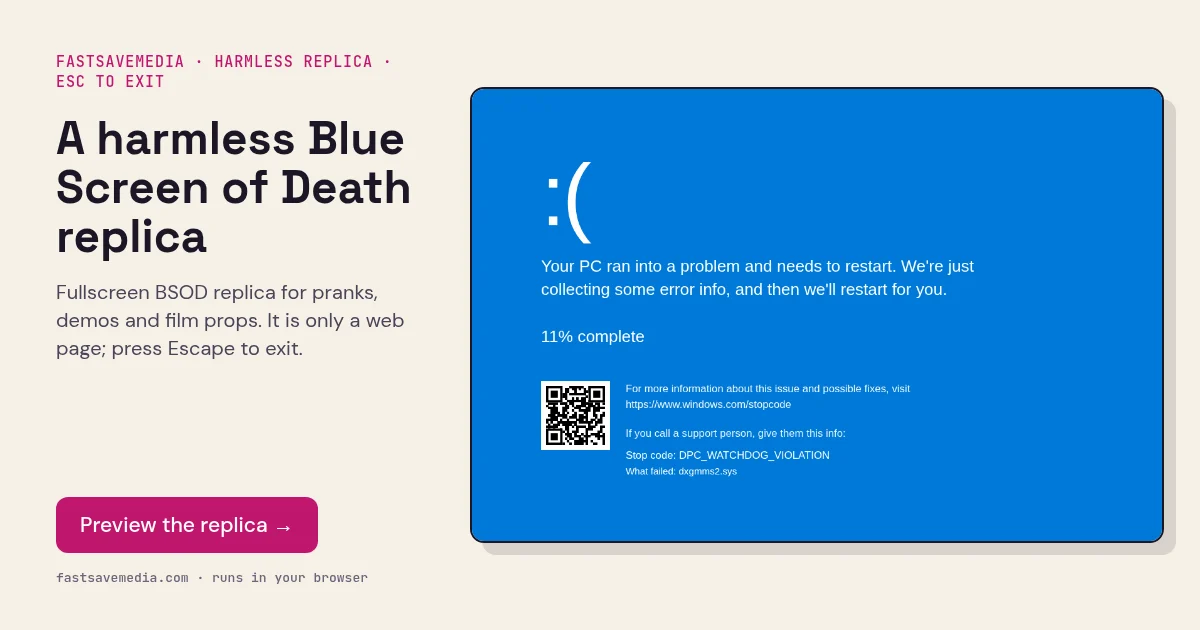
A harmless Blue Screen of Death replica, real screenshot of the free FastSaveMedia Fake Windows BSOD replica with sad face, QR code and stop code
Fake Windows BSOD Screen on FastSaveMedia, the same free tool shown above, running locally in the browser.

Frequently asked questions

Is this a real BSOD?

No! This is a harmless browser-based prank tool. It only displays an image that looks like a BSOD; displaying this replica does not diagnose your computer's health. Press ESC to exit anytime.

Will this damage my computer?

Absolutely not. This is a simple web page displayed in fullscreen mode. No system files are accessed or modified.

What does CRITICAL_PROCESS_DIED mean on a real BSOD?

On a real Windows system, this stop code indicates that a critical system process has terminated unexpectedly, usually due to driver issues or corrupted system files.