Reference guide · safe tools and limits
Speaker Grille Cleaning Tools: Safe Picks and Ones to Avoid

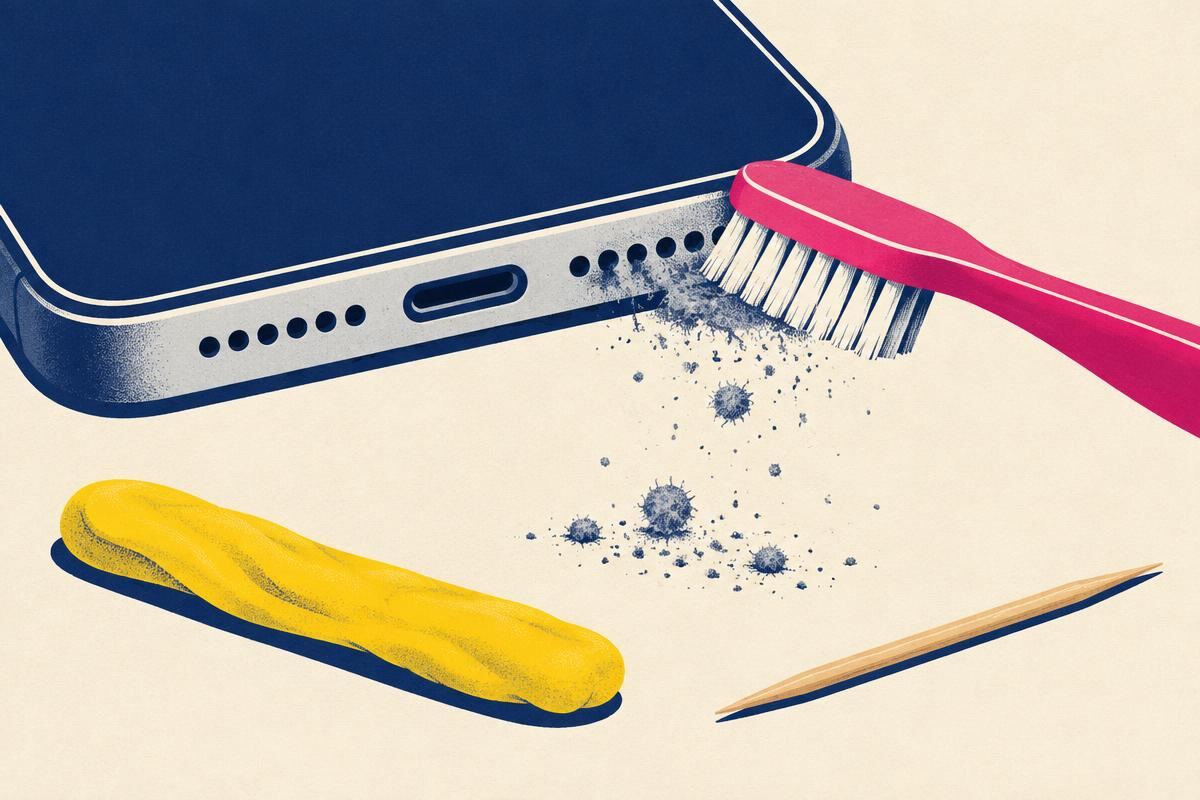
The Tool Shortlist — Specification, Cost, Verdict
Ranked by how much of the job each one does.
| Tool | Specification that matters | Household substitute | Cost | Verdict |
|---|---|---|---|---|
| ESD-safe soft brush | Goat hair or nylon, 0.05–0.10 mm bristle, dissipative handle (10⁶–10¹⁹ Ω per IEC 61340-5-1) [3] | Clean, dry, unused soft toothbrush | $3–8 / ₹150–350 | Buy this first. |
| Low-tack, non-staining, no plasticiser bleed; must peel cleanly at room temperature [6] | $2–5 / ₹60–150 | Excellent on visible lint. Light pressure only. | ||
| 200 Hz dust-eject tone | Browser tone — no install | Free | The transport step. Useless alone, essential after brushing. | |
| Lint-free foam swab | Polyurethane foam head, sealed edges, zero shed | Corner of a microfibre cloth over a fingernail | $4 / ₹120 | Oil and cosmetics only. Never a cotton bud. |
| $3 / ₹90 | Apply to the swab, never to the phone. | |||
| Rubber bulb blower | Hand-powered, roughly 1–3 PSI — an order of magnitude below canned air [7] | Squeeze bulb from a first-aid kit | $6 / ₹250 | Safe. Genuinely useful on laptop grilles. |
| Washi or crepe, removable adhesive | — | $3 / ₹90 | Masking adjacent ports only. Do not pull debris with it. | |
| Wooden toothpick (side of, never tip) | Softer than aluminium; used flat to scrape the grille rim only | — | Pennies | Borderline. Rim edges only — never into a hole. |
Total for the four essentials: about $10–15 / ₹500. A branded “speaker cleaning kit” at $25–35 contains the same items plus, usually, a metal pick you should throw away before the box reaches your desk.
How To Judge A Brush In Ten Seconds
Bristle stiffness scales roughly with the fourth power of diameter, so a bristle twice as thick is about sixteen times stiffer. That is why the number matters more than the label on the packet.
- 0.05–0.10 mm
- Goat hair, lens brushes, premium ESD brushes. Correct for phone grilles and earpiece slits.
- 0.10–0.15 mm
- Soft nylon toothbrush. Acceptable when clean and dry; use less pressure.
- 0.20–0.30 mm
- Medium toothbrush, most “detailing” brushes. Too stiff — it burnishes debris into the mesh instead of lifting it.
- Any metal bristle
- Never. Brass and steel brushes cut polymer mesh and scratch anodised frames.
The ten-second test: press the brush against the back of your hand. If you feel individual bristle points rather than a soft sweep, it is too stiff for a speaker grille. “Anti-static” should mean a dissipative handle and bristles in the 10⁶–10¹⁹ Ω surface-resistance band, as defined by ESD control standards [2][3] — not a sticker.
Seven Tools That Destroy Speaker Grilles
- Canned / compressed air. The jet drives grit past the mesh into the front cavity, where no consumer tool can retrieve it, and can delaminate a PTFE acoustic vent, permanently ending its oleophobic behaviour [5].
- SIM-eject pins, sewing needles, safety pins. One slip is a permanent ingress path and the end of the IP rating you paid for [8].
- Cotton buds pushed into holes. The head sheds fibre. Pressed inward, it is a fibre injector — you are adding contamination while feeling productive.
- Vacuum cleaners and vacuum pens.
- Ultrasonic baths. Superb for jewellery, ruinous for an assembled phone: cavitation forces fluid through every seam and couples mechanically into the diaphragm.
- Dental water flossers / irrigators. A pressurised water jet aimed at a speaker port is the fastest way to convert a dust problem into a liquid-damage problem — and it is not covered by warranty.
- Solvents at acoustic openings. They can damage adhesives or carry contamination into the device.
“How Do I Unclog My Phone Speaker?” — The Short Version
This is the single most-asked phrasing in this topic, so here is the compact answer, tool by tool:
- Power off, case off.
- Gently brush along the exterior grille with a clean, dry, soft brush.
- Do not push tools into holes or apply liquids or adhesives.
- When the device is dry, check audio routing and compare a familiar recording.
- Seek service if the problem persists.
If that sequence does not change anything, the blockage is not on the outside of the mesh. Either debris has already been forced behind it — usually by a previous cleaning attempt with air or a pin — or the fault is not particulate at all. Run the speaker test: crackle, buzz and intermittent silence point at the voice coil or the connector, not at the grille.
Buy A Kit, Or Build One?
| Option | Typical price | What you get | Worth it? |
|---|---|---|---|
| Branded phone cleaning kit | $20–35 / ₹1,200–2,000 | ||
| Camera lens cleaning kit | $10–18 / ₹600–900 | Goat-hair brush, bulb blower, microfibre | Best value. Same tools, better brush quality |
| Build your own | $10–15 / ₹500 | Best outcome. Nothing unsafe in the bag | |
| Household only | Free | Enough for most routine clogs. Start here before buying anything |
No physical kit includes the step that actually evacuates debris. That part is a tone, and it is free: 200 Hz dust cleaner for lint, 165 Hz water eject for liquid.
Sources & Citations
- Apple Inc., How to clean your Apple products (HT207123). support.apple.com/en-us/HT207123
- EOS/ESD Association, ANSI/ESD S20.20-2021 — Protection of Electrical and Electronic Parts, Assemblies and Equipment. esda.org/standards — what an ESD-safe tool must actually demonstrate.
- International Electrotechnical Commission, IEC 61340-5-1 — Electrostatics: protection of electronic devices from electrostatic phenomena. webstore.iec.ch — dissipative surface-resistance bands quoted above.
- Knowles Corporation, AN-24: Handling and Assembly Guidelines for MEMS Microphones and Micro-Speakers. knowles.com — ESD and particulate handling limits for micro-transducers.
- W. L. Gore & Associates, Gore Acoustic Vents — handling and cleaning notes. gore.com/products/gore-acoustic-vents — solvent and pressurised-air damage to PTFE membranes.
- Bostik, Manufacturer product information. bostik.com
- US Occupational Safety and Health Administration, 29 CFR 1910.242(b) — compressed air used for cleaning. osha.gov
- International Electrotechnical Commission, IEC 60529:2013+AMD1+AMD2 — Degrees of protection provided by enclosures (IP Code). webstore.iec.ch/publication/2452 — what a punctured mesh or gasket costs you.
Device reference
Grille geometry decides which tool leads. These are the practical tool-per-device pairings we use, with the opening that clogs first on each family.
| Device | Clogs first | Lead tool | Tool to avoid here |
|---|---|---|---|
| iPhone 12–17 Pro Max | Bottom slot, then earpiece bar | SIM-eject pin (the No.1 cause of torn iPhone mesh) | |
| Samsung Galaxy S / Z | Bottom-firing port near USB-C | ESD brush → tone | Canned air (drives grit into the hinge cavity on foldables) |
| Google Pixel | Earpiece slit above the display | Soft brush, very light pressure | |
| AirPods / earbuds | Driver mesh in the ear tip | Dry soft brush only | Any liquid, any pick, any suction |
| iPad / Android tablet | Two to four edge grilles | Vacuum nozzle | |
| MacBook / Windows laptop | Hundreds of small perforations beside the keyboard | Bulb blower + soft brush | Wet swab (liquid runs into the keyboard well) |
| Bluetooth / fabric speakers | Woven fabric wrap | Lint roller, then dry brush | Solvent (stains and stiffens the fabric) |
Step by step
Prepare dry cleaning materials
Power the phone off and take the case off — a case lip standing 1–2 mm proud of the grille holds a compacted ring of lint that most people never think to clean.Start with the brush, dry, held at a shallow angle
Hold the phone with the grille facing down so gravity works with you, and sweep the bristles along the slot rather than stabbing into it. A correct brush has bristles roughly 0.05–0.10 mm thick and bends visibly under the lightest pressure; if it stands rigid against the grille, it is too stiff for a phone and belongs on a keyboard. Ten to fifteen passes lifts most of what is bound to the mesh surface.Review the limits of cleaning tones
A browser tone is optional when the device is safe to operate. It cannot remove bonded grime or certify a clean grille. Use manufacturer-approved gentle dry cleaning and seek service for persistent blockage.Avoid adhesive tools on this opening
Keep putty and tape off the grille. Pressing adhesive into the holes can leave residue that attracts dust [6].Keep liquids away from acoustic openings
Do not apply solvents across the grille or into its holes. For cosmetics or oily residue that a gentle dry clean cannot remove, consult the exact device’s cleaning instructions.Verify by ear, then store the kit somewhere dust-free
Replay the same clip at the same volume you used before you started. A cleaned grille recovers treble first — consonants sharpen before loudness returns — which is the honest signal that the mesh cleared. Put the brush back in a capped tube or a zip bag; a brush left loose in a drawer becomes a lint applicator, and that is the most common reason a second cleaning session works worse than the first.
Frequently asked questions
What tools do I need to clean a speaker grille?
How do I unclog my phone speaker?
How do I unclog my iPhone speaker?
How do I get lint out of my iPhone speaker?
Are speaker cleaning kits worth buying?
What is the best brush for cleaning phone speakers?
Can I use a toothbrush to clean my phone speaker?
Is compressed air safe for cleaning phone speakers?
Finish with the speaker cleaning tone
Ready, press Play to start
Volume to max · speaker facing down · headphones unplugged
Tones are generated on your device with the Web Audio API. Nothing is recorded or uploaded. Stop if you hear rattling or distortion and lower the volume.
| Method | Risk | Notes |
|---|---|---|
| Cleaning tone | Low | Nothing touches the speaker; start at moderate volume |
| Soft dry brush | Low | Sweep across the grille, not into it |
| Adhesive putty or tape | Low | Lifts lint; press lightly and peel straight off |
| Compressed air | Medium–high | Can push debris deeper or stress the membrane |
| Needles, pins, toothpicks | High | Can puncture the mesh or the speaker cone |
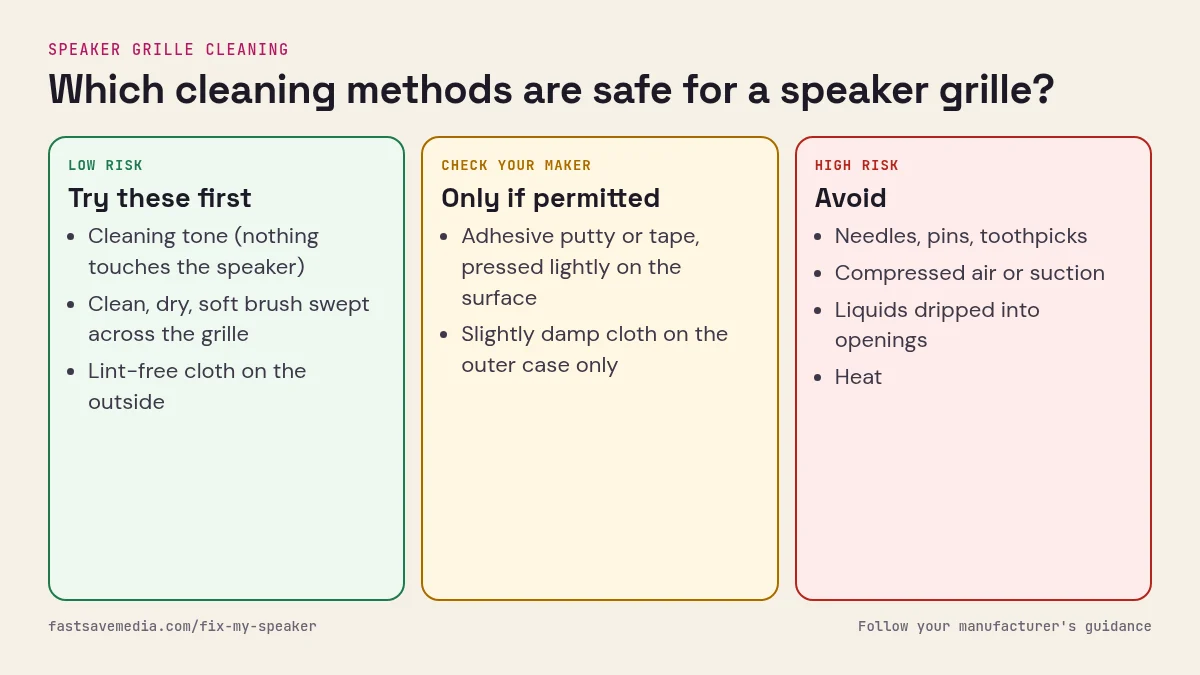
A grille cleaning tool has one job: apply force outward or sideways, never inward. Everything that goes wrong — torn mesh, injected fibre, breached gasket, grit driven into the front cavity — comes from a tool that pushed something in [4][5]. That single rule sorts every product on the market into safe and unsafe faster than any review score.
The second rule is material. Behind the visible holes sits a woven polymer screen, and next to it sits a pressure-sensitive adhesive holding the gasket stack. Bristles must be softer than the screen, picks must be softer than the aluminium frame, and solvents must be gentle on acrylic adhesive. That is why goat hair, nylon 0.05 mm, wood, silicone and 70% isopropyl appear on the safe list, while steel, brass, nylon 0.3 mm, acetone and 99% isopropyl do not.
Scope: this page rates the tools. The technique lives on how to clean phone speakers, the drying protocol on speaker deep dry, and if your speaker is silent rather than dull, no tool will help — run the speaker test first.
Tools alone do not fix a muffled speaker — technique does. Use these instruments with the method in how to clean phone speakers, then follow the device page that matches your handset: iPhone speaker cleaning or Samsung speaker cleaning.