How to run this check
- Step 1
Set a realistic brightness
Use the brightness you normally use rather than maximum brightness.
- Step 2
Dim the room
Reduce reflections but keep enough ambient light to move safely.
- Step 3
Open the black frame
Enter fullscreen and inspect the edges from your usual viewing position.
- Step 4
Change your angle
Move your head slightly. Glow that changes strongly with angle is more consistent with IPS glow.
Backlight bleed, IPS glow or clouding?
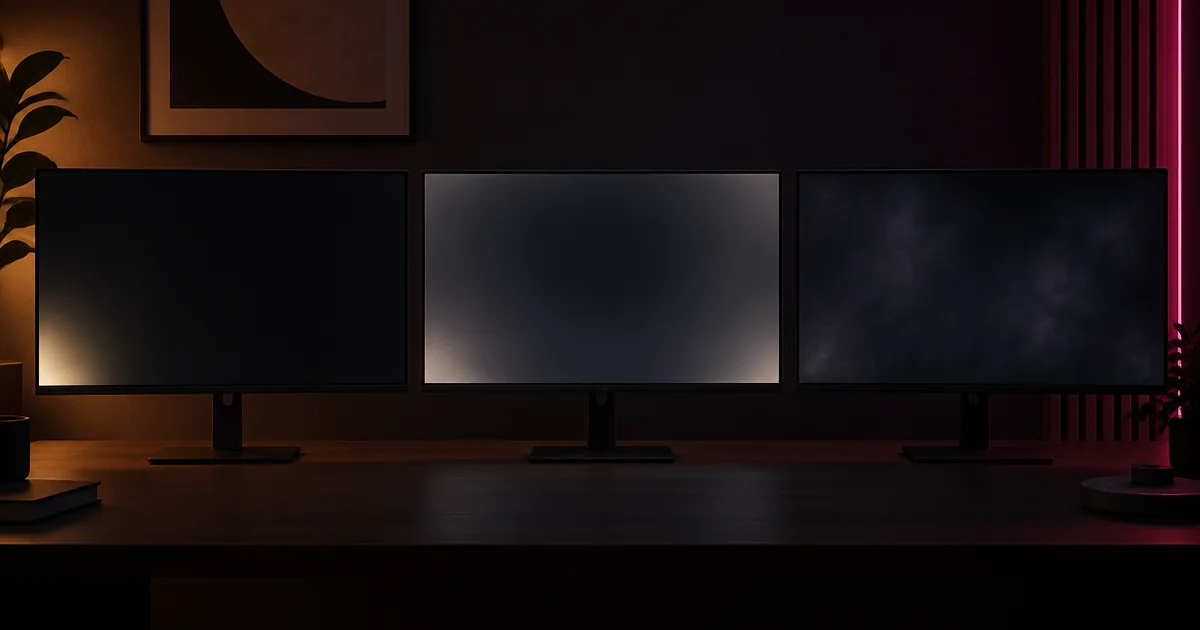
Backlight bleed usually forms a fixed brighter area beside an edge or corner where light escapes around the panel assembly. IPS glow is angle-dependent and often changes as your head moves. Clouding appears as broader uneven patches across a dark image.
Run a fair comparison
Judge the panel at a brightness and viewing distance you actually use. Maximum brightness in a completely dark room can reveal uniformity differences that are invisible in normal work or gaming. Compare the black and near-black frames, then return to ordinary content before deciding whether the issue affects use.
What this pattern cannot show
OLED panels do not use a backlight, so bright edge leakage is not backlight bleed. Reflections, local dimming zones and camera exposure can also change the appearance. If a new display is distracting in normal conditions, document it and check the seller's return policy.